

Commercial access control helps you decide who can enter your Watford premises, which areas they can access, and when that access is permitted. It can protect staff, visitors, stock, equipment and sensitive information while giving you a clear record of activity.
However, effective access control is not simply a matter of fitting a card reader to the front door. You need to consider fire safety, data protection, door construction, staff permissions, system integration and ongoing maintenance.
Town & Country Security Systems provides professional access control, CCTV and intruder alarm installations for businesses across Watford and the wider South East. We are SSAIB recognised and UKAS accredited, with local engineers and 24-hour call-out support.
1. Start with a security survey, not a product catalogue
The right system depends on how your building is used.
An office in Watford town centre may need controlled access at the main entrance, with restricted access to offices, server rooms and records areas. A warehouse or industrial unit may need different arrangements for staff entrances, loading areas, gates and delivery access. A medical or care facility may have additional requirements around privacy, safeguarding and controlled zones.
Before selecting equipment, assess:
- The number of entrances and internal doors.
- The type and condition of each door.
- Staff, visitor, contractor and delivery movements.
- Areas containing sensitive data, stock or high-value equipment.
- Opening hours and out-of-hours access.
- Existing CCTV, intruder alarms and fire alarm systems.
- Network connectivity and power availability.
A professional survey helps prevent common problems, such as fitting unsuitable locking hardware or creating access restrictions that conflict with emergency evacuation procedures.
2. Decide whether you need door entry, access control or both
Door entry and access control are related, but they perform different functions.
Door entry is primarily used to identify and admit visitors. It can include an audio or video intercom, an internal monitor and an electric door release. A receptionist or authorised employee can speak to a visitor, view them on screen and release the door remotely.
Access control is designed for regular users, such as employees or approved contractors. Staff may use a proximity card, fob, PIN, mobile credential or biometric reader to gain entry.
Many businesses need both systems. For example, staff may use proximity fobs during normal working hours, while visitors contact reception using a video door entry system.
Town & Country Security Systems installs Hikvision access control and IP video door entry equipment. Depending on your building, the system can include card readers, keypads, controllers, electric locks, video intercoms and management software.
3. Choose credentials that match the risk
There is no single best method for every commercial property.
Fobs, cards and proximity tags
These are practical for most offices, shops and commercial premises. Each user receives an individual credential. If a card is lost or an employee leaves, you can remove that credential without changing the locks for everyone.
PIN keypads
PINs can be suitable for smaller sites or specific internal areas. They are simple to administer, but codes can be shared or observed. You should change them when staff leave or when a code may have been compromised.
Mobile credentials
Some systems allow a smartphone to act as a credential using Bluetooth or another secure mobile technology. This can reduce the number of physical cards in circulation, although you should consider phone loss, battery failure and staff device policies.
Biometric readers
Fingerprint and facial recognition systems identify users using biometric information. They may be appropriate for high-security areas, but they require careful consideration.
The Information Commissioner’s Office guidance on biometric recognition states that organisations must complete a Data Protection Impact Assessment before using a biometric recognition system. You also need a lawful basis, suitable safeguards and transparent information for employees.
For many businesses, fobs or cards provide an effective first option. Biometrics should be considered where the security requirement justifies the additional compliance responsibilities.
4. Use permissions to control different areas
A commercial access control system should do more than open the front door.
You can create permission groups based on roles, working hours and locations. For example:
- Reception staff can access the main entrance and reception area.
- Warehouse employees can access stock and loading areas.
- IT staff can access server rooms.
- Cleaning contractors can enter during defined periods.
- Senior managers can access all permitted areas.
- Visitors can receive temporary or escorted access.
Time-based permissions can also restrict entry outside normal operating hours. This reduces the need for shared keys and helps you apply consistent security rules across the building.
If a staff member changes department or leaves the business, you can amend or remove their access promptly. The system can also provide an audit trail showing which credential was used and when.
5. Make fire safety and emergency exit arrangements a priority
Security must never prevent people from leaving a building safely.
The GOV.UK workplace fire safety guidance explains that emergency routes and exits must allow people to evacuate quickly and safely. Doors on escape routes must be immediately openable from the inside without relying on a key, code or access card.
During a survey, your installer should identify:
- Final exits and escape routes.
- Fire doors and compartmentation lines.
- The required direction of door opening.
- Internal exit devices, such as push pads or panic bars.
- How access-controlled doors respond to a fire alarm.
- What happens if power or communications fail.
Electric locks may need to release when the fire alarm activates or when power is lost, depending on the door’s location and the agreed fire strategy. These arrangements must be designed, installed and tested correctly.
Your fire risk assessment should document how access-controlled doors operate during an emergency. Ask your installer to coordinate access control with the fire alarm and to include the release functions in routine testing.

6. Manage CCTV and access data responsibly
Access control records and CCTV footage may contain personal data. You should decide what information is collected, why it is needed, who can access it and how long it will be retained.
For a Watford business, practical measures include:
- Provide clear information to employees and visitors.
- Display appropriate CCTV signage.
- Restrict system administration to authorised people.
- Use individual administrator accounts rather than shared passwords.
- Set a documented retention period.
- Delete records when they are no longer required.
- Secure any cloud account or remote access platform.
- Include the system in your privacy documentation.
Biometric data requires additional care because it can fall within special category data when processed to uniquely identify an individual. If you are considering facial or fingerprint access, speak to your data protection adviser before implementation.
Security installers can help with system configuration and technical safeguards, but your business remains responsible for its data protection decisions and policies.
7. Integrate access control with intruder alarms and CCTV
Integrated security gives you more useful information than separate systems operating in isolation.
For example, an access event can be linked with camera footage. If a restricted door opens at an unusual time, you can review the associated video rather than relying only on a door log.
Access control can also work alongside an intruder alarm. Authorised users may be able to set or unset defined areas, while other areas remain protected. This can be useful if employees work different shifts or if a business occupies several rooms within one building.
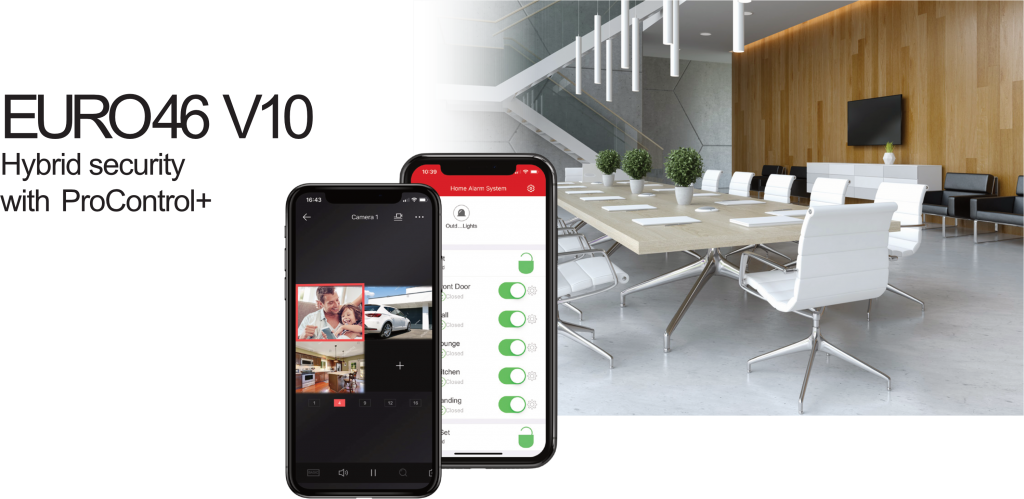
Town & Country’s commercial security systems include the EURO 46 V10 hybrid security panel, which supports wired and wireless peripherals, independent areas, user codes and video integration through ProControl+. The exact functions available depend on the system design and connected equipment.
Our CCTV systems can also provide remote viewing through a computer, tablet or smartphone, subject to the required network and configuration.
8. Consider how you will manage access remotely
Remote management can be valuable when you have more than one site, a changing workforce or staff who work outside standard hours.
Depending on the system, an authorised manager may be able to:
- Add or remove users.
- Change access times.
- Disable a lost card or fob.
- Issue temporary access.
- Review access events.
- Receive alerts about selected activity.
- Check connected alarm or CCTV status.
Remote access must be protected properly. Use strong passwords, two-factor authentication where available, controlled administrator permissions and a clear process for removing former managers.
Remote management should support your access policy rather than replace it. You still need to decide who can approve new users, how contractors are supervised and how frequently permissions are reviewed.
9. Professional installation protects the performance of the system
Access control involves more than the reader on the wall. The installer must select compatible locks, exit hardware, door closers, power supplies, controllers and network equipment.
Poor installation can lead to:
- Doors failing to lock or release correctly.
- Tailgating through an entrance.
- Unreliable credentials.
- Damage to fire doors.
- Loss of access during a power or network fault.
- Unclear responsibility between security and electrical contractors.
A professional installer should test every access point, confirm emergency release operation, configure user permissions and provide instructions for nominated staff.
Town & Country Security Systems has local expertise serving Watford, Chesham, Amersham, High Wycombe and surrounding areas. Our engineers can assess an existing system, upgrade outdated equipment or design a new installation for a commercial premises.
10. Plan for servicing, faults and future changes
Access control is a working security system. It needs servicing and periodic review.
A maintenance agreement can include inspections of readers, locks, door contacts, exit devices, batteries, power supplies, network connections and software. Testing can identify problems before they prevent staff from entering or compromise a restricted area.
You should also review the system when:
- You move into new premises.
- You add a new entrance or internal department.
- The building layout changes.
- Staff numbers increase.
- Your insurer changes its security requirements.
- You introduce new CCTV or alarm equipment.
- A door becomes part of an escape route.
- You experience a security incident.
Town & Country Security Systems provides maintenance support and a 24/7 emergency call-out service. This gives you access to professional assistance when a fault affects the security or operation of your Watford business.
Choosing commercial access control in Watford
The most suitable system will reflect your building, staff structure, working hours and risk profile. Fobs and door entry may be sufficient for a small office. A larger site may require multiple zones, biometric protection for selected rooms, integrated CCTV, alarm monitoring and remote administration.
The key is to design the complete arrangement rather than select isolated products. Fire safety, data protection, physical security and daily usability must work together.
To discuss commercial access control for your Watford premises, contact Town & Country Security Systems or request a professional security survey.